1. Load a shape
First visit opens a tour: Harbor & Co, Northstar Commerce, or a smaller starter (startup, agency, nonprofit). Or start blank.
Private org charts · positions stay seats
OrgFlow is an interactive org chart for positions, people and scenarios. Drag a card onto a new manager or a sibling, filter by group and site, save a named view, then export a board pack, A3 pages or a shareable HTML snapshot — all in the browser you already have open.
No account on the public site. Harbor & Co loads as a local sample. Clearing site data removes the workspace, so export a JSON backup first.
This page is the product documentation. The planner is app.html. On GitHub Pages the app is static: nothing is posted unless you download a file. A separate Node host can share one org among signed-in members.
First visit opens a tour: Harbor & Co, Northstar Commerce, or a smaller starter (startup, agency, nonprofit). Or start blank.
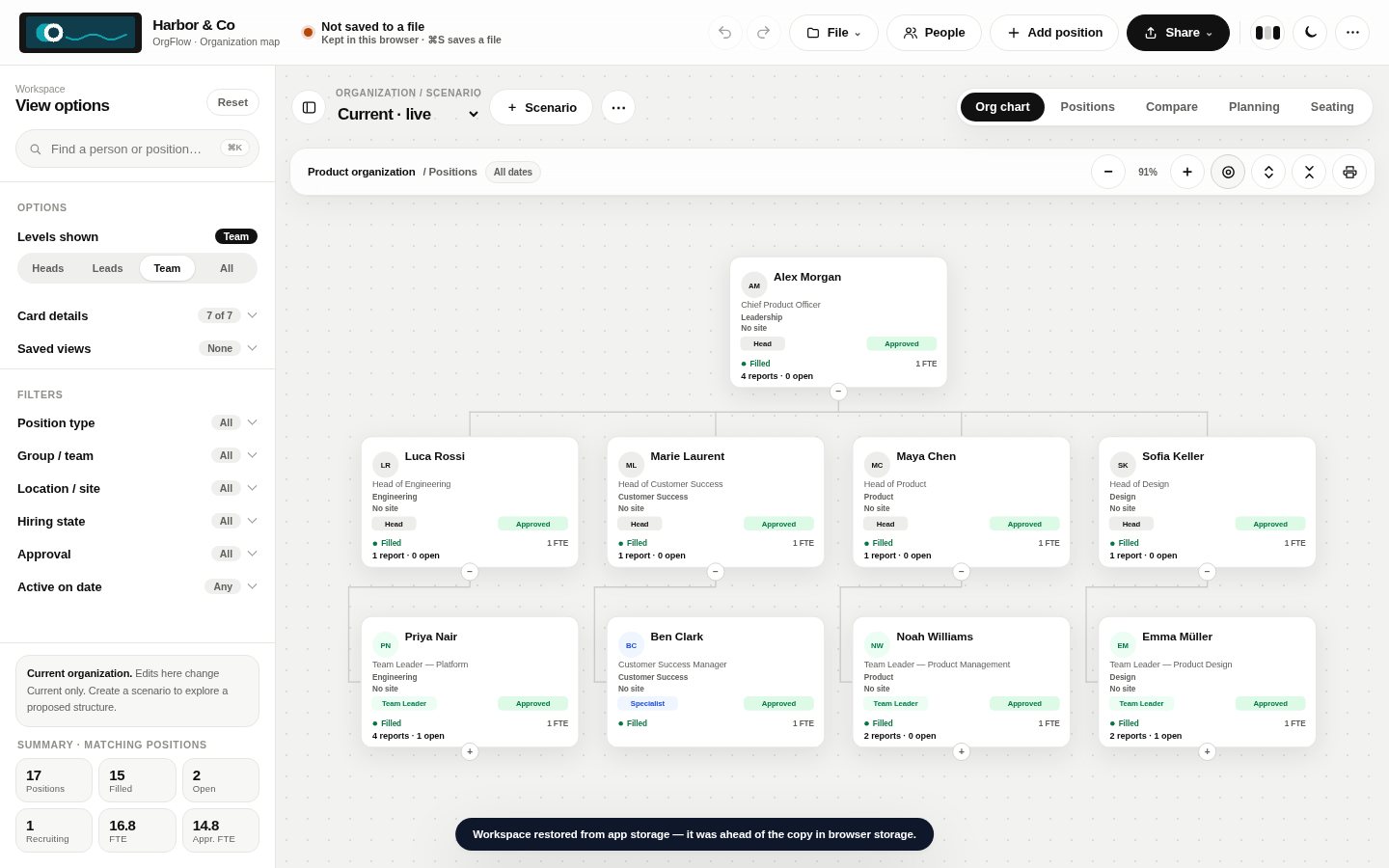
Drag a card onto a new manager, or onto a sibling to reorder. ⌘/Ctrl-click to bulk-edit. Vacant seats stay on the tree. Create a scenario so Current is untouched.
PNG or per-group ZIP for slides. Board-pack or Print / A3 PDF for a pack. Shareable HTML that opens without OrgFlow. File → Save keeps a JSON file up to date.
Positions are not people. Vacant seats stay on the chart. Scenarios copy Current instead of overwriting it.
Drop a card onto another manager to re-parent. Drop onto a sibling to reorder. Cycles are blocked. Undo puts it back.
Optional local photos, location, cost center and job family on the card and in the position drawer.
⌘Z or Ctrl+Z for this session. Earlier versions stay in this browser without photos or logos, so storage stays small.
A cover sheet plus the current chart, or tiled A3 landscape pages of the visible view — generated as a JPEG PDF with no extra library.
A self-contained snapshot that opens as a file. The workspace JSON is inside, ready to restore in OrgFlow.
Matrix reporting is a second manager on the position. It draws dashed; it does not change the tree layout.
First Light, Lumen Studio and Cedar & Kind sit beside Harbor & Co and Northstar Commerce.
Last-level managers stack reports in a column under the manager, with a left-side trunk from the card’s middle. Move siblings up or down. Spacing and the dotted canvas are yours to change.
Long names wrap and the card grows with them. Hide FTE, site, group, type, approval or hiring. Create a tag like Engineer, Graduate or Intern. Heads can show people, span and vacancy counts.
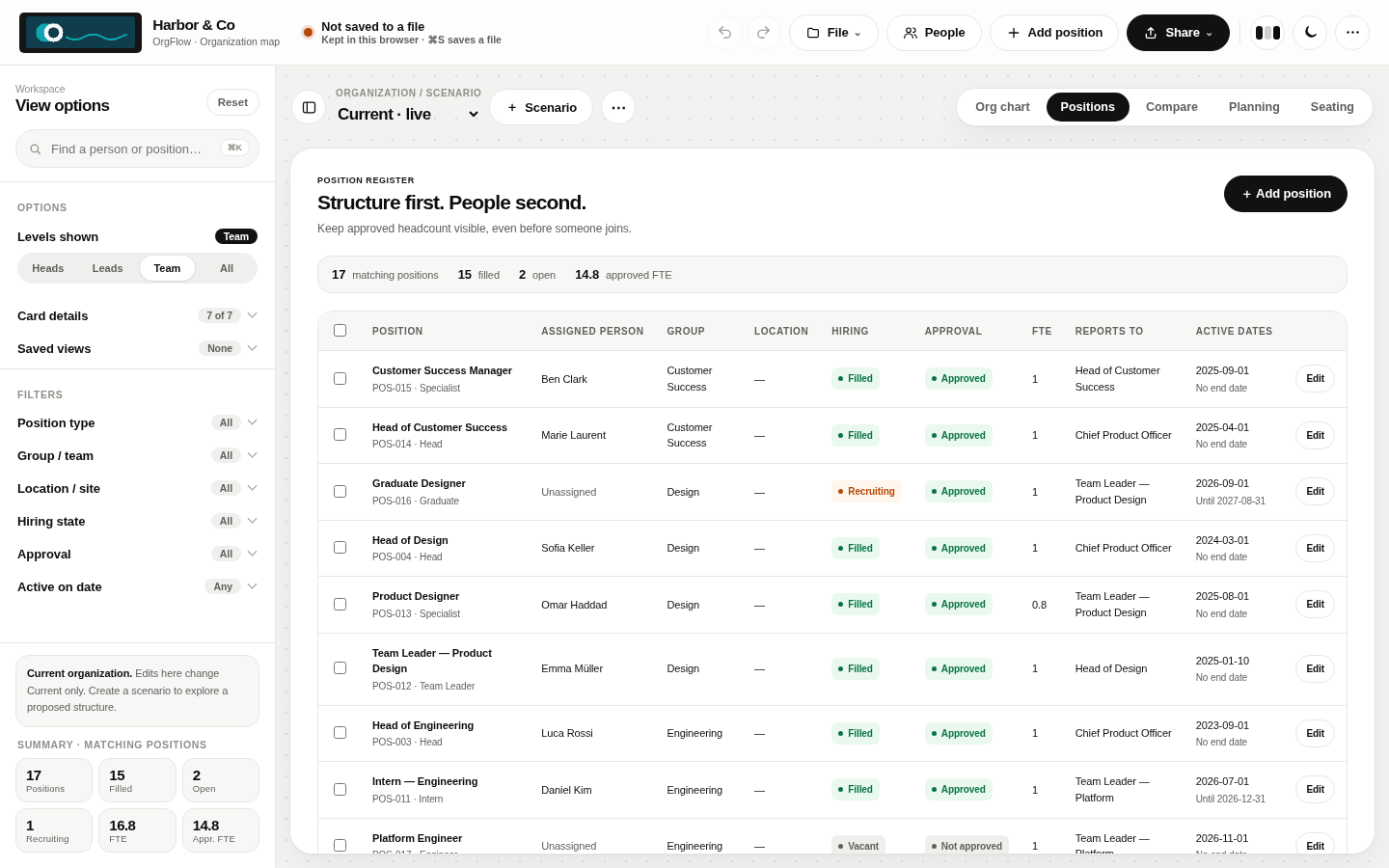
Turn a group or location off to take it off the chart and the register. Blank values sit under No group / No site. Filters persist with the current view.
⌘/Ctrl-click or Shift-click cards, or use checkboxes on Positions, then apply type, group, site or approval to the selection.
Save filter, zoom and card-display presets on the workspace. They restore with the JSON backup.
Hover a card or search a name to highlight the reporting chain to the root. The rest of the chart dims.
New, Open, Save and Save as… live together, with ⌘S / ⌘O shortcuts, recent files and drag-and-drop to open. A status chip shows whether your work is in a file or only in this browser. The public site never uploads your roster.
Logos and photos are resized locally. The public site hosts the program only — not your roster.
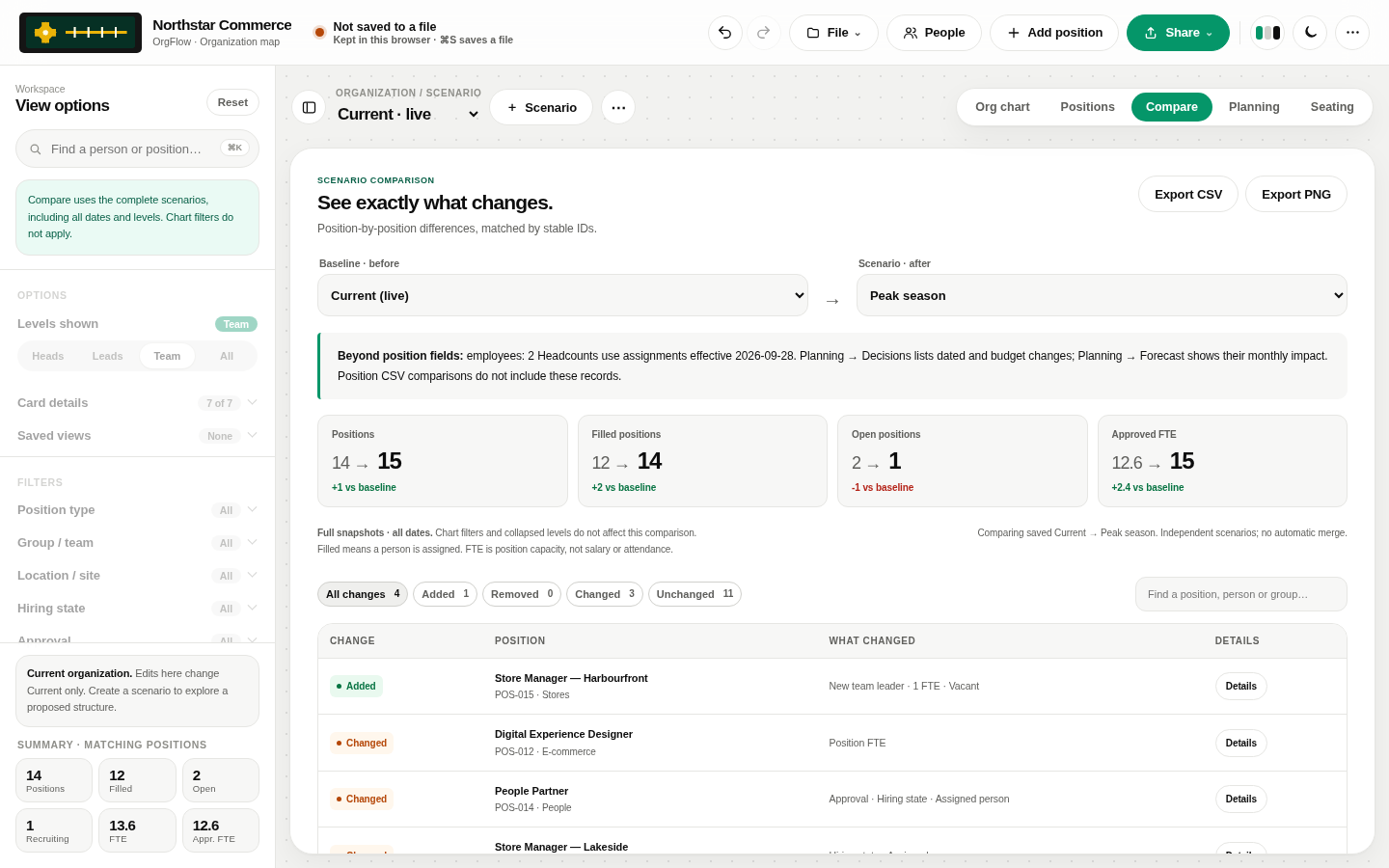
Filters on the chart do not change Compare. Loading a sample resets chips so a leftover filter cannot hide the new tree. Named views remember the chips you want.
Open the app and pick a sample or template on the Start page. Harbor & Co is 17 seats with an FY27 growth scenario. Northstar Commerce is 14 seats with Peak season.
Startup · 8 seats. Product Manager dotted-line to Head of Engineering. One recruiting engineer.
Agency · 9 seats. Producer dotted-line to Creative Director.
Nonprofit · 7 seats. Partnerships dotted-line to the Executive Director.
The public site never sees your roster. The desktop build is a double-click app with no installer. The Node host is optional, and it is a different process — not GitHub Pages.
This site
Open app.html on this site. Names, photos and reporting lines stay in localStorage on this device. No login. No backend.
python3 -m http.server 4173
This device
A Windows .exe, macOS .app, or Linux AppImage. Double-click to open — no installer, no Program Files. The workspace stays on this computer.
Optional
One shared workspace on your machine or in a VPC. Sign-in, admin / editor / viewer, optional subtree scope, audit log, and MCP read tools. Keycloak is not required locally.
npm run start:enterprise
Same folder as this page. On the public site, data stays in this browser. Use File → Save or Download backup before you clear site data.